
AllPicture
Sign up

How can I move from Google Photos or iCloud to a cleaner photo library without creating more duplicates?

Moving from Google Photos to iCloud, from iCloud to a NAS, or from Dropbox to another system can make photo chaos worse. Exports, reimports, edited copies, and shared albums often create new duplicates at the exact moment you are trying to clean up.

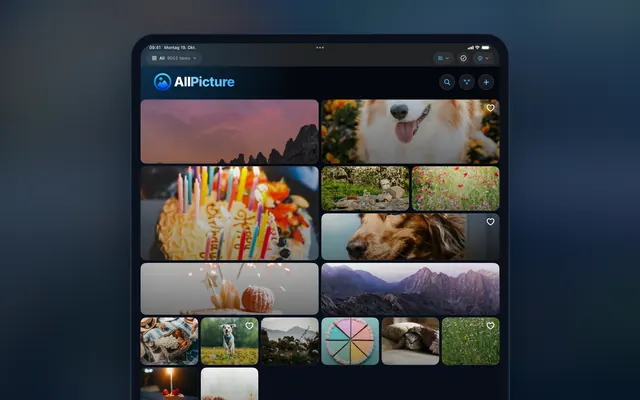
AllPicture photo library on an iPad with every source in one grid

Photo migration without duplicate explosion

Short answer

Do not migrate a messy library by importing every export into a new cloud at once. First index the old and new libraries, compare overlap, preserve metadata, group duplicates, and only then decide what should become the clean visible library.

move Google Photos to iCloud without duplicatesmigrate photo library duplicatesclean photo library before cloud migration

Want AllPicture for this kind of photo library?

Create your free account without connecting photo sources. Signing up needs no photo upload or library access.

Create your account

The migration mistake

The common mistake is exporting one service and importing it into another without comparing what is already there. That can create thousands of duplicates, especially when phones have been backing up to both services for years.

A safer order of operations

Inventory the sources, index the media, identify overlap, preserve original dates and metadata where possible, then build the clean library view. Only after that should you decide whether to remove copies from a provider.

  • Inventory before import.
  • Compare before delete.
  • Keep a rollback path.

How AllPicture helps

AllPicture is designed to organize across Google Photos, iCloud, Dropbox, phones, NAS, and local drives. That makes it useful as a cleanup layer during migrations because it can reason across the old and new places where files live.

When to keep both providers

Sometimes the cleanest path is not immediate migration. A family may keep iCloud for phone backup, Dropbox for old camera uploads, and AllPicture as the unified organization layer while slowly reducing overlap.

FAQ

Short, extractable answers for search snippets and AI answer engines.

Should I delete the old cloud library after migration?

Not immediately. Confirm that the clean library, metadata, and backups are correct before deleting source copies.

Why do migrations create duplicates?

Because the same media can already exist in both services, and exported files may not match perfectly after metadata, compression, or format changes.

Can AllPicture be used without fully migrating?

That is the intended positioning: organize across sources and reduce chaos without forcing a full migration on day one.

Related answers

Continue with the connected search intents behind this question.

Bring order to your photo mess

Create your free account before connecting any photo source. Signing up needs no photo upload or photo-library permission.

  • Built for scattered memories across phones, chats, clouds, and drives.
  • Signing up requires no photos and no access to your library.
  • Start free; you decide which photo sources to connect.
Read the answer hub first
Create your account